When you enroll in this course, you'll also be enrolled in this Specialization.
Learn new concepts from industry experts
Gain a foundational understanding of a subject or tool
Develop job-relevant skills with hands-on projects
Earn a shareable career certificate
There are 4 modules in this course
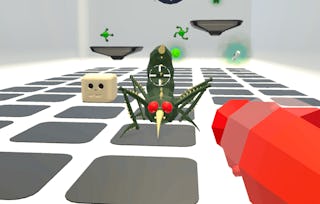
If you love games and want to learn how to make them, then this course will start you down that path. Making games is a creative and technical art form. In this course you will familiarize yourself with the tools and practices of game development and well as the process. You will get started developing video games using industry standard game development tools, including the Unity 2020 game engine. At the end of the course you will have completed two hands-on projects, including an Intro to Unity project and a 2D Shooter game, and will be able to leverage an array of game development techniques to create your own basic games.
The only thing more fun than playing games is making them. You can make games. All it takes is some time, a willingness to learn and a passion to create. You don't need to be a "coder" to make games. Part of the beauty of games is that they take a variety of skills to make. Art, creativity, and systems thinking are just as important as code. Join us in this journey into game making! This first module will provide you with an overview of this course and the entire specialization. The module will also introduce you to the game design and development process and get you up and running with Unity, the game engine we will use across this course.
What's included
13 videos6 readings3 assignments
Show info about module content
13 videos•Total 93 minutes
Course Overview•7 minutes
Meet the Instructor: Brian Winn•7 minutes
About MSU•1 minute
The Game Design Process - Part 1: How are Games Made?•5 minutes
The Game Design Process - Part 2: The Role of the Game Designer•10 minutes
The Game Design Process - Part 3: The Game Development Team•4 minutes
The Game Design Process - Part 4: Costs and Limitations•6 minutes
Game Engines Overview•8 minutes
Solar System Project Overview•2 minutes
Unity Setup•12 minutes
Create a Unity Project•6 minutes
Import Assets•3 minutes
Unity Editor Overview•22 minutes
6 readings•Total 55 minutes
Additional Resources•10 minutes
Download and Install Unity 2022.3•5 minutes
Troubleshooting Tips•10 minutes
Download Project Assets•10 minutes
Unity Editor Quick Reference•10 minutes
Additional Resources•10 minutes
3 assignments•Total 40 minutes
Course Overview•10 minutes
Game Design Process•15 minutes
Game Engines and Unity Editor•15 minutes
Understanding Core Unity Concepts
Module 2•5 hours to complete
Module details
One of the reasons we use Unity is its visual editor which makes creating interactive games accessible to both creative and technical individuals. In this module, you will continue working on the Solar System project and from start to finish. Using a variety of graphical and audio assets and a library of scripts, you will create a simple model of our solar system. By the end of the module, you should have a good understanding of the Unity editor, the core concepts of building projects in Unity, and the workflow for creating games.
What's included
11 videos4 readings3 assignments1 peer review
Show info about module content
11 videos•Total 133 minutes
Working in 3D Space•6 minutes
Setting up the Scene•10 minutes
Materials•11 minutes
Lights•12 minutes
Adding Behaviors•16 minutes
Audio•10 minutes
Cameras•17 minutes
Prefabs•19 minutes
Build & Test•12 minutes
Modify the Project•5 minutes
Publish the Project•15 minutes
4 readings•Total 45 minutes
New Reading•10 minutes
Solar System Assignment•15 minutes
Taking Screenshots•10 minutes
Additional Resources•10 minutes
3 assignments•Total 45 minutes
Working in 3D Space•15 minutes
Materials, Lights, Behaviors, and Audio•15 minutes
Cameras, Prefabs, Building, and Deploying•15 minutes
1 peer review•Total 60 minutes
Solar System Project Peer Review•60 minutes
Building Your First Game
Module 3•4 hours to complete
Module details
Unity is a powerful tool for creating games. In this module, you will create your first actual game from start to finish in the form of a 2D Shooter game. This is your right of passage into game development! In the first part of the assignment, follow along with the tutorial videos in this module. In the second part of the project, you will modify the game to make it your own.
What's included
24 videos2 readings
Show info about module content
24 videos•Total 222 minutes
2D Shooter Project Overview•4 minutes
Create 2D Unity Project•3 minutes
Import Input System•2 minutes
Import Custom asset package•3 minutes
Player Visuals Setup•10 minutes
Player Controls Setup•7 minutes
Player Controls Setup (Cont.)•6 minutes
Player Health & Damage Setup•14 minutes
Player Shooting Setup•12 minutes
Camera Setup•11 minutes
Level Setup•11 minutes
Game Manager and UI Manager Setup•6 minutes
UI Setup: Score•13 minutes
UI Setup: Pause screen•16 minutes
Responsive and Scalable UI•11 minutes
Other In-Game UI•8 minutes
Main Menu Setup•5 minutes
Finish the Gameplay Loop•4 minutes
Adding Music•4 minutes
Adding More Levels•6 minutes
A Deeper Dive Into TextMesh Pro•21 minutes
Code Walkthrough•13 minutes
Finish the Project•27 minutes
2D Shooter Modification Examples•8 minutes
2 readings•Total 25 minutes
Downloading Project Assets•10 minutes
2D Shooter Assignment•15 minutes
Coding Gameplay Systems and Finishing Up
Module 4•4 hours to complete
Module details
Now, don't get scared, but games need code. Code is the canvas upon which game systems are painted. However, that doesn't mean you need to be a C# ninja. In this module, you will start to learn the ins-and-outs of programming C# in Unity. In this module, you will also finish up the 2D Shooter project, submit it for peer review, and peer review your fellow learners games. Finish the course strong!
What's included
9 videos1 reading1 assignment1 peer review
Show info about module content
9 videos•Total 58 minutes
Unity Programming - Part 1: Introduction•7 minutes
Unity Programming - Part 2: Object-Oriented Thinking•4 minutes
Unity Programming - Part 3: Anatomy of a C# Script•5 minutes
Unity Programming - Part 4: C# Overview•5 minutes
Unity Programming - Part 5: C# Variables•12 minutes
Unity Programming - Part 6: C# Conditionals and Loops•10 minutes
Unity Programming - Part 7: C# Functions and Classes•6 minutes
Unity Programming - Part 8: Using C# within Unity•8 minutes
Course Wrap Up•1 minute
1 reading•Total 10 minutes
Unity Programming Quick Reference•10 minutes
1 assignment•Total 15 minutes
Programming in Unity•15 minutes
1 peer review•Total 180 minutes
2D Shooter Peer Review•180 minutes
Earn a career certificate
Add this credential to your LinkedIn profile, resume, or CV. Share it on social media and in your performance review.
Instructor
Instructor ratings
Instructor ratings
We asked all learners to give feedback on our instructors based on the quality of their teaching style.
Michigan State University has been advancing the common good with uncommon will for more than 150 years.
One of the top research universities in the world, MSU pushes the boundaries of discovery and forges enduring partnerships to solve the most pressing global challenges while providing life-changing opportunities to a diverse and inclusive academic community through more than 200 programs of study in 17 degree-granting colleges.
"To be able to take courses at my own pace and rhythm has been an amazing experience. I can learn whenever it fits my schedule and mood."
Jennifer J.
Learner since 2020
"I directly applied the concepts and skills I learned from my courses to an exciting new project at work."
Larry W.
Learner since 2021
"When I need courses on topics that my university doesn't offer, Coursera is one of the best places to go."
Chaitanya A.
"Learning isn't just about being better at your job: it's so much more than that. Coursera allows me to learn without limits."
Learner reviews
4.7
534 reviews
5 stars
79.77%
4 stars
14.79%
3 stars
2.99%
2 stars
0.93%
1 star
1.49%
Showing 3 of 534
R
RA
4·
Reviewed on May 24, 2021
I liked the content in the course and the way of teaching. Though, some more examples with every points would be better. Overall, it was a great course and a worthy experience.
G
GO
5·
Reviewed on May 22, 2023
I loved the course. I have learned a lot and produced a great work in the end. Made me feel great about myself. Thank you Michigan State University, Thank you Coursera!
E
EG
5·
Reviewed on May 23, 2022
Amazing course, I learned A LOT especially in the last project when I had to nearly make a whole new game.Thanks for the instructors for thier work.
The course was originally built with Unity 5.1.x. However, we recently updated lessons to Unity 5.4.x where there were notable differences between 5.1 and 5.4.
When will I have access to the lectures and assignments?
To access the course materials, assignments and to earn a Certificate, you will need to purchase the Certificate experience when you enroll in a course. You can try a Free Trial instead, or apply for Financial Aid. The course may offer 'Full Course, No Certificate' instead. This option lets you see all course materials, submit required assessments, and get a final grade. This also means that you will not be able to purchase a Certificate experience.
What will I get if I subscribe to this Specialization?
When you enroll in the course, you get access to all of the courses in the Specialization, and you earn a certificate when you complete the work. Your electronic Certificate will be added to your Accomplishments page - from there, you can print your Certificate or add it to your LinkedIn profile.
Is financial aid available?
Yes. In select learning programs, you can apply for financial aid or a scholarship if you can’t afford the enrollment fee. If fin aid or scholarship is available for your learning program selection, you’ll find a link to apply on the description page.